 reGOTCHA
Quay Lại BlogHướng Dẫn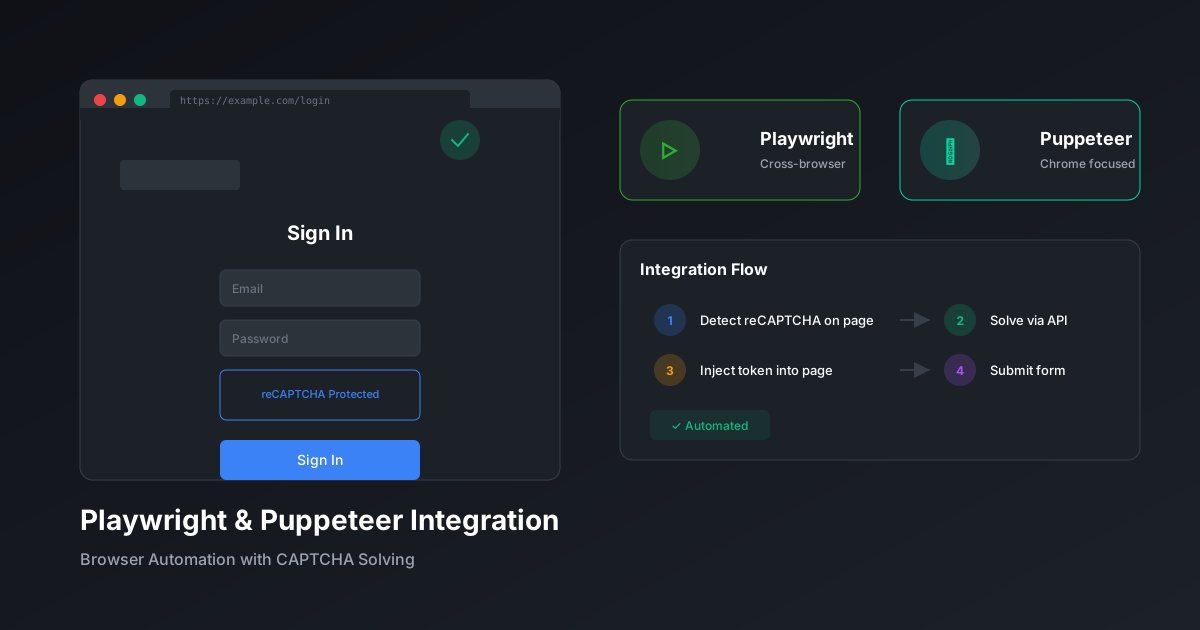
Tích Hợp Giải CAPTCHA với Playwright & Puppeteer
Thêm liền mạch giải CAPTCHA vào quy trình tự động hóa trình duyệt với ví dụ code cho cả hai framework chính.
Đội ngũ reGOTCHA13 tháng 12, 20258 phút đọc
Tổng Quan Tích Hợp
Tự động hóa trình duyệt với Playwright hoặc Puppeteer yêu cầu xử lý CAPTCHA liền mạch để duy trì quy trình tự động hóa. Hướng dẫn này bao gồm các mẫu tích hợp cho cả hai framework.
Tích Hợp Playwright
Cài Đặt
terminal
npm install playwright axiosClass Page Nhận Biết CAPTCHA
example.ts
import { Page } from 'playwright';
import axios from 'axios';

class CaptchaAwarePage {
  private page: Page;
  private apiKey: string;

  constructor(page: Page, apiKey: string) {
    this.page = page;
    this.apiKey = apiKey;
  }

  async detectAndSolve(): Promise<string | null> {
    // Kiểm tra sự hiện diện của reCAPTCHA
    const hasRecaptcha = await this.page.evaluate(() => {
      return typeof window.grecaptcha !== 'undefined';
    });

    if (!hasRecaptcha) return null;

    // Trích xuất site key
    const siteKey = await this.page.evaluate(() => {
      const elem = document.querySelector('.g-recaptcha');
      return elem?.getAttribute('data-sitekey');
    });

    if (!siteKey) return null;

    // Giải qua reGOTCHA
    const { data } = await axios.post(
      'https://api.regotcha.com/createTask',
      {
        clientKey: this.apiKey,
        task: {
          type: 'ReCaptchaV3EnterpriseTaskProxyless',
          websiteURL: this.page.url(),
          websiteKey: siteKey,
          pageAction: 'submit',
        },
      }
    );

    // Polling kết quả
    let token = '';
    while (!token) {
      await new Promise((r) => setTimeout(r, 2000));
      const result = await axios.post(
        'https://api.regotcha.com/getTaskResult',
        { clientKey: this.apiKey, taskId: data.taskId }
      );
      if (result.data.status === 'ready') {
        token = result.data.solution.gRecaptchaResponse;
      }
    }

    // Inject token
    await this.page.evaluate((t) => {
      const textarea = document.querySelector('[name="g-recaptcha-response"]');
      if (textarea) (textarea as HTMLTextAreaElement).value = t;
    }, token);

    return token;
  }
}
Ví Dụ Sử Dụng
example.ts
import { chromium } from 'playwright';

async function automateForm() {
  const browser = await chromium.launch();
  const page = await browser.newPage();
  const captchaPage = new CaptchaAwarePage(page, process.env.API_KEY!);

  await page.goto('https://example.com/form');
  await page.fill('#email', '[email protected]');

  // Xử lý CAPTCHA trước submit
  await captchaPage.detectAndSolve();

  await page.click('button[type="submit"]');
  await page.waitForNavigation();

  await browser.close();
}
Tích Hợp Puppeteer
Cài Đặt với Stealth
terminal
npm install puppeteer puppeteer-extra puppeteer-extra-plugin-stealth axiosStealth + Xử Lý CAPTCHA
example.ts
import puppeteer from 'puppeteer-extra';
import StealthPlugin from 'puppeteer-extra-plugin-stealth';
import axios from 'axios';

puppeteer.use(StealthPlugin());

async function solveCaptcha(page: any, apiKey: string): Promise<string> {
  const siteKey = await page.evaluate(() => {
    // Tìm site key reCAPTCHA v3
    const scripts = document.querySelectorAll('script');
    for (const script of scripts) {
      const match = script.src?.match(/render=([A-Za-z0-9_-]+)/);
      if (match) return match[1];
    }
    return document.querySelector('.g-recaptcha')?.getAttribute('data-sitekey');
  });

  if (!siteKey) throw new Error('Không phát hiện CAPTCHA');

  // Tạo task
  const taskResponse = await axios.post('https://api.regotcha.com/createTask', {
    clientKey: apiKey,
    task: {
      type: 'ReCaptchaV3EnterpriseTaskProxyless',
      websiteURL: page.url(),
      websiteKey: siteKey,
      pageAction: 'submit',
    },
  });

  // Chờ giải pháp
  let solution = '';
  const startTime = Date.now();
  while (!solution && Date.now() - startTime < 120000) {
    await new Promise((r) => setTimeout(r, 2000));
    const result = await axios.post('https://api.regotcha.com/getTaskResult', {
      clientKey: apiKey,
      taskId: taskResponse.data.taskId,
    });
    if (result.data.status === 'ready') {
      solution = result.data.solution.gRecaptchaResponse;
    }
  }

  return solution;
}

// Sử dụng
const browser = await puppeteer.launch({ headless: 'new' });
const page = await browser.newPage();
await page.goto('https://example.com');

const token = await solveCaptcha(page, process.env.API_KEY!);

// Inject và submit
await page.evaluate((t) => {
  (document.querySelector('#g-recaptcha-response') as HTMLTextAreaElement).value = t;
}, token);

await page.click('#submit');
So Sánh Framework
| Tính Năng | Playwright | Puppeteer |
|---|---|---|
| Đa trình duyệt | ✅ Chrome, Firefox, Safari | Chrome, Firefox |
| Tự động chờ | ✅ Tích hợp sẵn | Thủ công |
| Chế Độ Stealth | Một số tích hợp | Qua plugin |
| TypeScript | ✅ Native | ✅ Native |
Mẹo: Để có kết quả tốt nhất, kết hợp plugin stealth với giải qua trình duyệt của reGOTCHA để đạt điểm giống người trên reCAPTCHA v3.
PlaywrightPuppeteerTrình duyệtTự động hóa
Sẵn sàng giải quyết CAPTCHA theo quy mô?
Bắt đầu với 50 tín dụng miễn phí. Không cần thẻ tín dụng.