 reGOTCHA
返回博客教程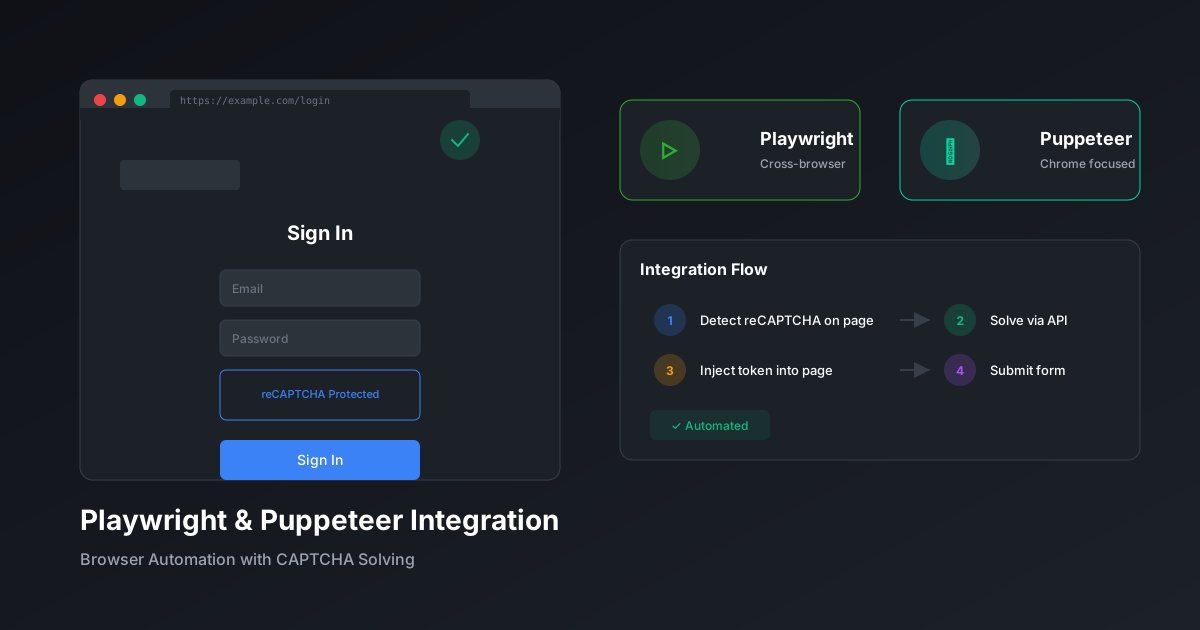
将验证码解决集成到Playwright和Puppeteer
无缝将验证码解决添加到浏览器自动化工作流程中,提供两大主流框架的代码示例。
reGOTCHA团队2025年12月13日8分钟 阅读
集成概述
使用 Playwright 或 Puppeteer 进行浏览器自动化需要无缝的验证码处理以维护工作流自动化。 本指南涵盖两个框架的集成模式。
Playwright 集成
安装
terminal
npm install playwright axios验证码感知页面类
example.ts
import { Page } from 'playwright';
import axios from 'axios';

class CaptchaAwarePage {
  private page: Page;
  private apiKey: string;

  constructor(page: Page, apiKey: string) {
    this.page = page;
    this.apiKey = apiKey;
  }

  async detectAndSolve(): Promise<string | null> {
    // 检查 reCAPTCHA 是否存在
    const hasRecaptcha = await this.page.evaluate(() => {
      return typeof window.grecaptcha !== 'undefined';
    });

    if (!hasRecaptcha) return null;

    // 提取 site key
    const siteKey = await this.page.evaluate(() => {
      const elem = document.querySelector('.g-recaptcha');
      return elem?.getAttribute('data-sitekey');
    });

    if (!siteKey) return null;

    // 通过 reGOTCHA 解决
    const { data } = await axios.post(
      'https://api.regotcha.com/createTask',
      {
        clientKey: this.apiKey,
        task: {
          type: 'ReCaptchaV3EnterpriseTaskProxyless',
          websiteURL: this.page.url(),
          websiteKey: siteKey,
          pageAction: 'submit',
        },
      }
    );

    // 轮询结果
    let token = '';
    while (!token) {
      await new Promise((r) => setTimeout(r, 2000));
      const result = await axios.post(
        'https://api.regotcha.com/getTaskResult',
        { clientKey: this.apiKey, taskId: data.taskId }
      );
      if (result.data.status === 'ready') {
        token = result.data.solution.gRecaptchaResponse;
      }
    }

    // 注入 token
    await this.page.evaluate((t) => {
      const textarea = document.querySelector('[name="g-recaptcha-response"]');
      if (textarea) (textarea as HTMLTextAreaElement).value = t;
    }, token);

    return token;
  }
}
使用示例
example.ts
import { chromium } from 'playwright';

async function automateForm() {
  const browser = await chromium.launch();
  const page = await browser.newPage();
  const captchaPage = new CaptchaAwarePage(page, process.env.API_KEY!);

  await page.goto('https://example.com/form');
  await page.fill('#email', '[email protected]');

  // 提交前处理验证码
  await captchaPage.detectAndSolve();

  await page.click('button[type="submit"]');
  await page.waitForNavigation();

  await browser.close();
}
Puppeteer 集成
带 Stealth 的安装
terminal
npm install puppeteer puppeteer-extra puppeteer-extra-plugin-stealth axiosStealth + 验证码处理
example.ts
import puppeteer from 'puppeteer-extra';
import StealthPlugin from 'puppeteer-extra-plugin-stealth';
import axios from 'axios';

puppeteer.use(StealthPlugin());

async function solveCaptcha(page: any, apiKey: string): Promise<string> {
  const siteKey = await page.evaluate(() => {
    // 查找 reCAPTCHA v3 site key
    const scripts = document.querySelectorAll('script');
    for (const script of scripts) {
      const match = script.src?.match(/render=([A-Za-z0-9_-]+)/);
      if (match) return match[1];
    }
    return document.querySelector('.g-recaptcha')?.getAttribute('data-sitekey');
  });

  if (!siteKey) throw new Error('未检测到验证码');

  // 创建任务
  const taskResponse = await axios.post('https://api.regotcha.com/createTask', {
    clientKey: apiKey,
    task: {
      type: 'ReCaptchaV3EnterpriseTaskProxyless',
      websiteURL: page.url(),
      websiteKey: siteKey,
      pageAction: 'submit',
    },
  });

  // 等待解决
  let solution = '';
  const startTime = Date.now();
  while (!solution && Date.now() - startTime < 120000) {
    await new Promise((r) => setTimeout(r, 2000));
    const result = await axios.post('https://api.regotcha.com/getTaskResult', {
      clientKey: apiKey,
      taskId: taskResponse.data.taskId,
    });
    if (result.data.status === 'ready') {
      solution = result.data.solution.gRecaptchaResponse;
    }
  }

  return solution;
}

// 使用
const browser = await puppeteer.launch({ headless: 'new' });
const page = await browser.newPage();
await page.goto('https://example.com');

const token = await solveCaptcha(page, process.env.API_KEY!);

// 注入并提交
await page.evaluate((t) => {
  (document.querySelector('#g-recaptcha-response') as HTMLTextAreaElement).value = t;
}, token);

await page.click('#submit');
框架对比
| 功能 | Playwright | Puppeteer |
|---|---|---|
| 多浏览器 | ✅ Chrome、Firefox、Safari | Chrome、Firefox |
| 自动等待 | ✅ 内置 | 手动 |
| 隐身模式 | 部分内置 | 通过插件 |
| TypeScript | ✅ 原生 | ✅ 原生 |
提示:为获得最佳效果,将 stealth 插件与 reGOTCHA 的基于浏览器的 解决方案结合使用,以在 reCAPTCHA v3 上获得类似人类的分数。
PlaywrightPuppeteer浏览器自动化