 reGOTCHA
返回博客技巧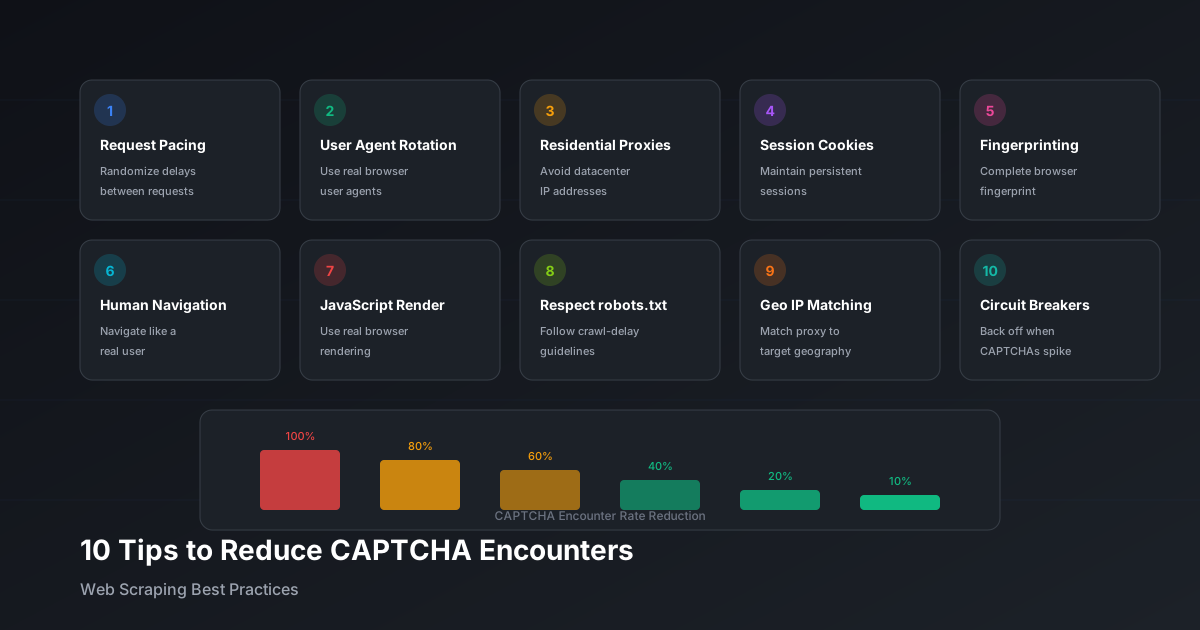
减少网页抓取中遇到验证码的10个技巧
经过验证的策略来减少验证码触发:请求节奏控制、请求头轮换、住宅代理和行为模式。
reGOTCHA团队2025年12月17日5分钟 阅读
为什么会触发验证码
了解验证码出现的原因有助于避免它们。常见触发因素包括:
- 异常的请求模式(速度、数量、时间)
- 缺失或可疑的浏览器指纹
- 已知的数据中心 IP 地址
- 异常的鼠标/键盘行为
- 缺失或过期的 cookie
10 个必备技巧
1. 实施请求节奏控制
随机化请求之间的延迟以模仿人类行为:
example.py
import random
import time

def human_delay():
    # 2-5 秒随机延迟
    delay = random.uniform(2, 5)
    # 偶尔休息更长时间
    if random.random() < 0.1:
        delay += random.uniform(5, 15)
    time.sleep(delay)
2. 轮换 User Agent
使用真实、最新的浏览器 user agent 池:
example.py
USER_AGENTS = [
    "Mozilla/5.0 (Windows NT 10.0; Win64; x64) AppleWebKit/537.36...",
    "Mozilla/5.0 (Macintosh; Intel Mac OS X 10_15_7) AppleWebKit/537.36...",
    # 添加 10-20 个真实 user agent
]

headers = {"User-Agent": random.choice(USER_AGENTS)}
3. 使用住宅代理
数据中心 IP 很容易被检测到。住宅或移动代理更容易混入。
4. 维护会话 Cookie
跨请求保持 cookie 以维护合法会话:
example.py
import httpx

# 使用客户端会话保持 cookie
with httpx.Client() as client:
    client.get("https://site.com")  # 首次访问设置 cookie
    client.get("https://site.com/data")  # 后续请求使用 cookie
5. 完善浏览器指纹
确保您的无头浏览器通过指纹检查:
example.js
// 使用带 stealth 插件的 puppeteer-extra
const puppeteer = require('puppeteer-extra');
const StealthPlugin = require('puppeteer-extra-plugin-stealth');
puppeteer.use(StealthPlugin());
6. 模拟人类导航
不要直接跳转到目标页面 - 自然地浏览网站。
7. 正确处理 JavaScript
许多验证码触发依赖于 JavaScript 检查。使用真实浏览器或渲染 JS。
8. 遵守 robots.txt 限速
即使您不受 robots.txt 约束,其 crawl-delay 也暗示了安全速度。
9. 使用地理 IP 匹配
将您的代理位置与网站预期的用户地理位置匹配。
10. 实施熔断器
当验证码增加时,在被封禁前退后:
example.py
class CircuitBreaker:
    def __init__(self, threshold=5, cooldown=300):
        self.failures = 0
        self.threshold = threshold
        self.cooldown = cooldown
        self.last_failure = 0

    def record_failure(self):
        self.failures += 1
        self.last_failure = time.time()

        if self.failures >= self.threshold:
            raise Exception(f"熔断器打开 - 冷却 {self.cooldown} 秒")

    def record_success(self):
self.failures = 0重要:即使有这些优化,某些验证码也不可避免。 始终准备好像 reGOTCHA 这样的验证码解决方案作为后备。
网页抓取技巧最佳实践自动化