 reGOTCHA
Back to BlogTutorial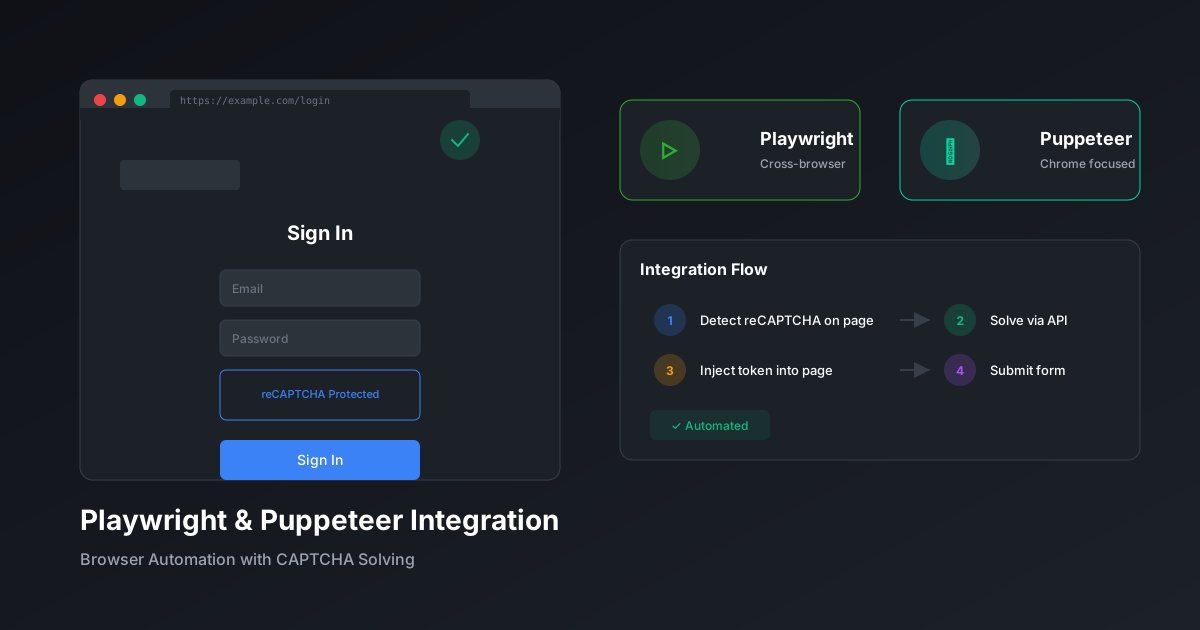
Integrate CAPTCHA Solving with Playwright & Puppeteer
Seamlessly add CAPTCHA solving to browser automation workflows with code examples for both major frameworks.
reGOTCHA TeamDecember 13, 20258 min read
Integration Overview
Browser automation with Playwright or Puppeteer requires seamless CAPTCHA handling to maintain workflow automation. This guide covers integration patterns for both frameworks.
Playwright Integration
Setup
terminal
npm install playwright axiosCAPTCHA-Aware Page Class
example.ts
import { Page } from 'playwright';
import axios from 'axios';

class CaptchaAwarePage {
  private page: Page;
  private apiKey: string;

  constructor(page: Page, apiKey: string) {
    this.page = page;
    this.apiKey = apiKey;
  }

  async detectAndSolve(): Promise<string | null> {
    // Check for reCAPTCHA presence
    const hasRecaptcha = await this.page.evaluate(() => {
      return typeof window.grecaptcha !== 'undefined';
    });

    if (!hasRecaptcha) return null;

    // Extract site key
    const siteKey = await this.page.evaluate(() => {
      const elem = document.querySelector('.g-recaptcha');
      return elem?.getAttribute('data-sitekey');
    });

    if (!siteKey) return null;

    // Solve via reGOTCHA
    const { data } = await axios.post(
      'https://api.regotcha.com/createTask',
      {
        clientKey: this.apiKey,
        task: {
          type: 'ReCaptchaV3EnterpriseTaskProxyless',
          websiteURL: this.page.url(),
          websiteKey: siteKey,
          pageAction: 'submit',
        },
      }
    );

    // Poll for result
    let token = '';
    while (!token) {
      await new Promise((r) => setTimeout(r, 2000));
      const result = await axios.post(
        'https://api.regotcha.com/getTaskResult',
        { clientKey: this.apiKey, taskId: data.taskId }
      );
      if (result.data.status === 'ready') {
        token = result.data.solution.gRecaptchaResponse;
      }
    }

    // Inject token
    await this.page.evaluate((t) => {
      const textarea = document.querySelector('[name="g-recaptcha-response"]');
      if (textarea) (textarea as HTMLTextAreaElement).value = t;
    }, token);

    return token;
  }
}
Usage Example
example.ts
import { chromium } from 'playwright';

async function automateForm() {
  const browser = await chromium.launch();
  const page = await browser.newPage();
  const captchaPage = new CaptchaAwarePage(page, process.env.API_KEY!);

  await page.goto('https://example.com/form');
  await page.fill('#email', '[email protected]');

  // Handle CAPTCHA before submit
  await captchaPage.detectAndSolve();

  await page.click('button[type="submit"]');
  await page.waitForNavigation();

  await browser.close();
}
Puppeteer Integration
Setup with Stealth
terminal
npm install puppeteer puppeteer-extra puppeteer-extra-plugin-stealth axiosStealth + CAPTCHA Handling
example.ts
import puppeteer from 'puppeteer-extra';
import StealthPlugin from 'puppeteer-extra-plugin-stealth';
import axios from 'axios';

puppeteer.use(StealthPlugin());

async function solveCaptcha(page: any, apiKey: string): Promise<string> {
  const siteKey = await page.evaluate(() => {
    // Find reCAPTCHA v3 site key
    const scripts = document.querySelectorAll('script');
    for (const script of scripts) {
      const match = script.src?.match(/render=([A-Za-z0-9_-]+)/);
      if (match) return match[1];
    }
    return document.querySelector('.g-recaptcha')?.getAttribute('data-sitekey');
  });

  if (!siteKey) throw new Error('No CAPTCHA detected');

  // Create task
  const taskResponse = await axios.post('https://api.regotcha.com/createTask', {
    clientKey: apiKey,
    task: {
      type: 'ReCaptchaV3EnterpriseTaskProxyless',
      websiteURL: page.url(),
      websiteKey: siteKey,
      pageAction: 'submit',
    },
  });

  // Wait for solution
  let solution = '';
  const startTime = Date.now();
  while (!solution && Date.now() - startTime < 120000) {
    await new Promise((r) => setTimeout(r, 2000));
    const result = await axios.post('https://api.regotcha.com/getTaskResult', {
      clientKey: apiKey,
      taskId: taskResponse.data.taskId,
    });
    if (result.data.status === 'ready') {
      solution = result.data.solution.gRecaptchaResponse;
    }
  }

  return solution;
}

// Usage
const browser = await puppeteer.launch({ headless: 'new' });
const page = await browser.newPage();
await page.goto('https://example.com');

const token = await solveCaptcha(page, process.env.API_KEY!);

// Inject and submit
await page.evaluate((t) => {
  (document.querySelector('#g-recaptcha-response') as HTMLTextAreaElement).value = t;
}, token);

await page.click('#submit');
Framework Comparison
| Feature | Playwright | Puppeteer |
|---|---|---|
| Multi-browser | ✅ Chrome, Firefox, Safari | Chrome, Firefox |
| Auto-wait | ✅ Built-in | Manual |
| Stealth Mode | Some built-in | Via plugins |
| TypeScript | ✅ Native | ✅ Native |
Tip: For best results, combine stealth plugins with reGOTCHA's browser-based solving to achieve human-like scores on reCAPTCHA v3.
PlaywrightPuppeteerBrowserAutomation
Ready to solve CAPTCHAs at scale?
Get started with 50 free credits. No credit card required.